

I have been looking for this video for quite sometime now and i have found it. yey for me! No need to explain the title says it all.
Showing posts with label Youtube. Show all posts
Showing posts with label Youtube. Show all posts
Meebo Bar
Tuesday, December 22, 2009 by Admin · 1 comments
Meebo is a Ajax-based in-browser instant messaging program which supports multiple IM services, including Yahoo! Messenger, .NET Messenger Service, AIM, ICQ, MySpaceIM, Facebook Chat and XMPP. I have been using Meebo for longest time now. I usually use Meebo Me widget to add chat functionality to some of my site as a CSR chat service.
Now Meebo just release a new product called Meebo Bar. The Meebo bar appears at the bottom of your site and it allows your visitor to sign-in to Meebo and chat with their friends, share pictures and videos and a lot more.

Meebo Bar supports TypePad, Blogger, Wordpress, Movable Type. or any self-hosted site.
Now Meebo just release a new product called Meebo Bar. The Meebo bar appears at the bottom of your site and it allows your visitor to sign-in to Meebo and chat with their friends, share pictures and videos and a lot more.

the Meebo Bar allows your site visitors to sign in to Meebo to chat and drag-and-drop to share photos and videos. Now you can also add a slew of new buttons to the Meebo Bar on your site. We've put together a bunch of buttons that we think partners and bloggers might want to make available: a Facebook Fan Page, Twitter, Flickr, YouTube, Lala, Meebo Me, Stumble Upon, Digg, RSS and more! - szeto
Meebo Bar supports TypePad, Blogger, Wordpress, Movable Type. or any self-hosted site.
Can't Live Without Google
Friday, March 27, 2009 by Trafalgar Law · 0 comments
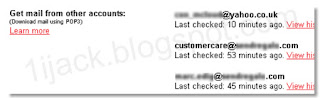
I have been using Google products service for quite some time now and I just realize that everything I do revolves around them. For instance last night I found out that one of my Yahoo email account (I got 2 yahoo mail) has POP3 access. So what did i do? I went to my Gmail account and set it up to access my Yahoo Mail. This got me thinking, I realize that every time i get a POP3 or IMAP access I instinctively setup my Gmail to access them. If they don't have POP2 or IMAP i set them up to filter and foward to my gmail. Even my Mom's email is forwarded to my email.
I used Google Reader a lot as in I check on it like 100x a day. I like it so much that it kinda ruin net surfing for me. I don't get to see websites anymore, I wouldn't know if a sites updates it looks unless I get to read it from their RSS feed. I used to visit Lifehacker.com or Downloadsquad everyday but when I learned how to use Google Reader I don't get to visit their site anymore unless i'm looking for a specific info.
 Other Google service that i used often:
Google Maps. Maps is very helpful when I need to send out our in-house messenger to deliver some item to our customers.
Picasa/Picasaweb perfect software to organize my photos store online. Oh and its also available for Linux.
Google Apps for managing domains. I like it a lot because I get to use a very familiar interface when accessing email which is gmail. I don't get to worry about setting up email client because you can access it via the web. No more "AHHH I FORGOT TO BACKUP MY EMAIL" scenarios for me.
Google Docs spreadsheet is what I usually used.. I do a lot of product listing and price computation for our company.Very handy for times I need to check item inventory and i'm outside without my laptop.
Blogger.com, Youtube.com, Calendar, Web Search and especially Adsense these are other service I can't live without. No need to explain here.
Of course i'm just exaggerating the "I can't live without it" part.

I used Google Reader a lot as in I check on it like 100x a day. I like it so much that it kinda ruin net surfing for me. I don't get to see websites anymore, I wouldn't know if a sites updates it looks unless I get to read it from their RSS feed. I used to visit Lifehacker.com or Downloadsquad everyday but when I learned how to use Google Reader I don't get to visit their site anymore unless i'm looking for a specific info.

Google Maps. Maps is very helpful when I need to send out our in-house messenger to deliver some item to our customers.
Picasa/Picasaweb perfect software to organize my photos store online. Oh and its also available for Linux.
Google Apps for managing domains. I like it a lot because I get to use a very familiar interface when accessing email which is gmail. I don't get to worry about setting up email client because you can access it via the web. No more "AHHH I FORGOT TO BACKUP MY EMAIL" scenarios for me.
Google Docs spreadsheet is what I usually used.. I do a lot of product listing and price computation for our company.Very handy for times I need to check item inventory and i'm outside without my laptop.
Blogger.com, Youtube.com, Calendar, Web Search and especially Adsense these are other service I can't live without. No need to explain here.
Of course i'm just exaggerating the "I can't live without it" part.
My Very Own Youtube Downloader
Wednesday, November 21, 2007 by Admin · 0 comments
While Googling for some PHP scripts i saw this blog post on Sizlopedia about a Youtube Download PHP script. With this script you can run your own downloader on your site or blog. Currently i have been using VConvert.net service for downloading youtube's video but with this script i now have my very own downloader... cool!
Thanks to Thirdnipple(the author of this marvelous script) and Sizlopedia
Thanks to Thirdnipple(the author of this marvelous script) and Sizlopedia
Subscribe to:
Posts (Atom)
Popular Posts
-
 I was surfing the world wide web when I found this very helpful How to for removing a Magnetic Security Tag. This would have been handy f...
-
I installed the latest release of KBFX which is 0.4.9.1 last Monday and I just love it! What is KBFX you say well I'll let the develope...

